Building a volumetric splash and launch sequence on visionOS
Wire DicyaninSplash and DicyaninHomeDioramaScene together to open an app with a glitchy 2D splash that hands off to a spinning volumetric diorama.
Most visionOS apps open cold: the first window is the main UI, and there is no launch moment. This post wires two packages into a proper opening sequence. DicyaninSplash renders a two-phase 2D splash (a glitchy studio title, then a logo and loading bar). When it finishes it opens a separate volumetric window running DicyaninHomeDioramaScene, a low poly nature island that spins on a glowing pedestal. By the end you have a plain splash window that dismisses itself and hands off to a volume, with no bundled assets in either package.
Both packages are on GitHub: DicyaninSplash and DicyaninHomeDioramaScene. They target visionOS 2 / iOS 18, Swift 6, and generate all geometry from primitives.
Why the splash is a separate plain window
DicyaninSplashView is a flat 2D SwiftUI view. On visionOS it must live in a .windowStyle(.plain) window. Do not embed it in a .windowStyle(.volumetric) window: a volume is sized in meters, and a flat view dropped into it collapses into a degenerate box, so you get an empty glass panel.
The pattern is two separate WindowGroup scenes. The default window is the plain splash. The volumetric diorama is its own window that the splash opens on completion, then dismisses itself.
import SwiftUI
import DicyaninSplash
import DicyaninHomeDioramaScene

@main
struct MyApp: App {
    static let splashWindowID = "Splash"
    static let dioramaWindowID = "Diorama"

    var body: some Scene {
        WindowGroup(id: Self.splashWindowID) {
            SplashScreen()
        }
        .windowStyle(.plain)
        .defaultSize(width: 700, height: 820)

        WindowGroup(id: Self.dioramaWindowID) {
            HomeDioramaView(
                config: DioramaConfig(season: .summer, treeCount: 12, spinSpeed: 0.15)
            )
        }
        .windowStyle(.volumetric)
        .defaultSize(width: 0.8, height: 0.7, depth: 0.8, in: .meters)
    }
}
Tip: Positions in the diorama are in meters, origin at the volume. The scene grounds itself with a constant transform, so if you change the
defaultSizesignificantly you may need to offset the root.
The splash view and its handoff
DicyaninSplashView takes a SplashConfiguration and an onFinished closure. The configuration injects the studio name, theme, optional 3D scenes, and an optional preload. Everything app-specific lives here so the package stays free of coupling. Fire the window handoff in onFinished.
struct SplashScreen: View {
    @Environment(\.openWindow) private var openWindow
    @Environment(\.dismissWindow) private var dismissWindow

    var body: some View {
        DicyaninSplashView(
            configuration: SplashConfiguration(
                studioName: "DICYANIN",
                titlePhaseDuration: .milliseconds(4000),
                theme: .cyberGreen
            ),
            onFinished: {
                openWindow(id: MyApp.dioramaWindowID)
                dismissWindow(id: MyApp.splashWindowID)
            }
        )
    }
}
The sequence runs itself. Phase 1 shows GlitchStudioText for titlePhaseDuration, then it crossfades to the logo phase with a CyberLoadingBar. When loading completes, onFinished fires after a short beat.
Driving the loading bar with real work
If you pass no preload, the bar runs a synthetic 0 to 1 sweep over syntheticLoadDuration. To make it reflect actual startup work, pass a preload closure. It receives a report(progress, label) callback you call as your work advances. The bar only leaves the synthetic path once you report at least once.
SplashConfiguration(
    studioName: "DICYANIN",
    theme: .cyberGreen,
    preload: { report in
        report(0.2, "REGISTERING SYSTEMS...")
        await MainActor.run { DicyaninHomeDioramaScene.register() }

        report(0.6, "WARMING SCENE...")
        try? await Task.sleep(for: .milliseconds(400))

        report(1.0, "READY")
    }
)
Registering the diorama's components and systems during preload means the volume is ready the instant the window opens. DicyaninHomeDioramaScene.register() is idempotent, so calling it here and again from HomeDioramaView.onAppear is safe.
Theming both ends to match
SplashTheme carries the accent color, background, and an optional font name resolved from the host app's bundle. The default .cyberGreen matches the accent used across Dicyanin apps. Set fontName to nil to fall back to the system monospaced font.
let theme = SplashTheme(
    accent: Color(red: 0.02, green: 1.0, blue: 0.38),
    background: Color(red: 0.02, green: 0.02, blue: 0.03),
    fontName: nil
)
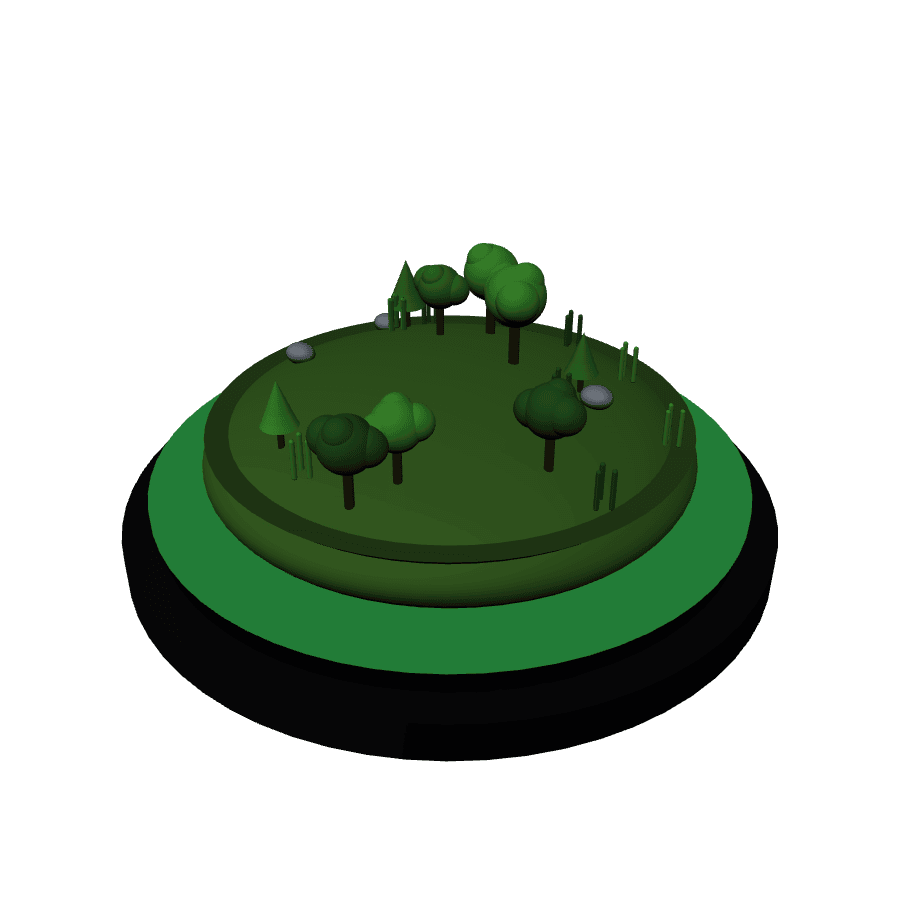
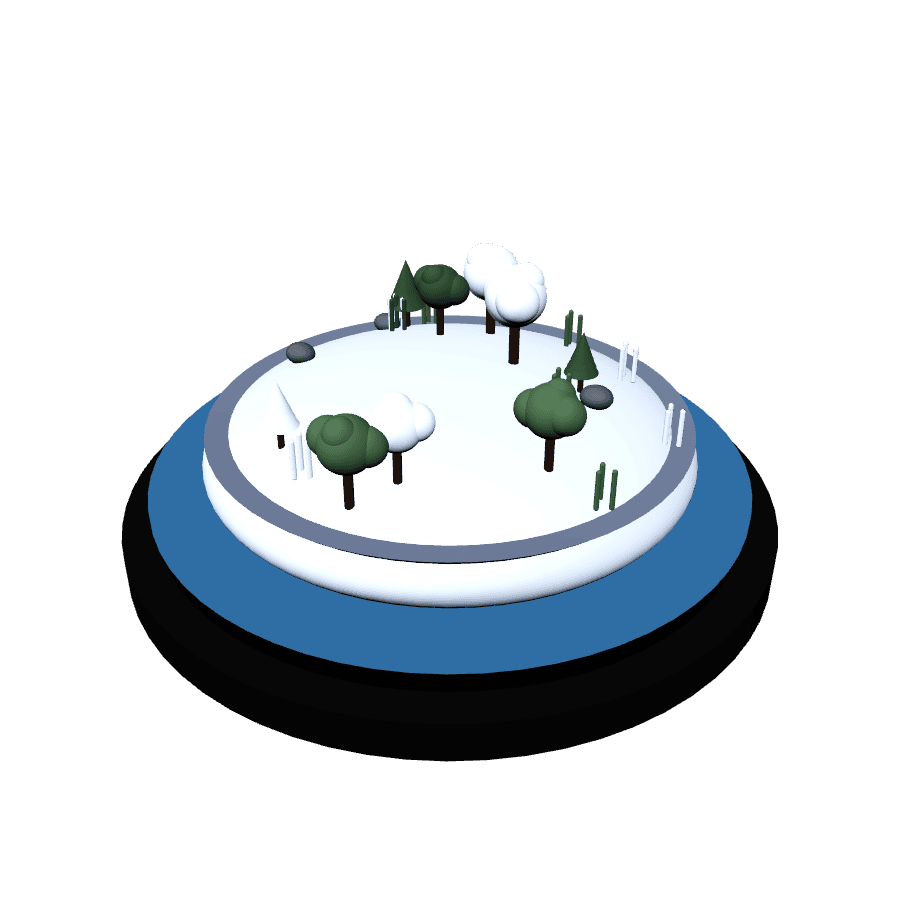
The diorama carries its own palette through DioramaSeason. .summer, .autumn, and .winter recolor foliage, ground, water, and the pedestal rim glow. Pick the season whose accent reads closest to your splash theme so the two moments feel like one app.

A 3D backdrop or centerpiece in the splash
The splash can host RealityKit content in either phase. titleSceneBuilder puts a 3D backdrop behind the studio title. logoSceneBuilder puts a 3D centerpiece above the loading bar. Both receive the SplashTheme so props match the palette, and both run inside a transparent RealityView.
SplashConfiguration(
    studioName: "DICYANIN",
    theme: .cyberGreen,
    logoSceneBuilder: { theme in
        let root = Entity()
        let logo = ModelEntity(
            mesh: .generateSphere(radius: 0.08),
            materials: [makeWiremeshCyberGreenShader()]
        )
        root.addChild(logo)
        return root
    }
)makeWiremeshCyberGreenShader() returns the animated wireframe emissive material used for the "rendering in" look. For a full holographic title, HoloTitleView renders a parameterized version of the effect with scanlines and flicker lighting.
The diorama as the landing volume
Once the splash dismisses, HomeDioramaView is the app's first real content. It is a drop-in view: pass a DioramaConfig and it builds a floating island, scatters trees, rocks, and grass, and spins the whole thing. The scatter is deterministic from seed, so a given config always renders the same island.
HomeDioramaView(
    config: DioramaConfig(
        season: .autumn,
        treeCount: 14,   // clamped 1...24
        pond: true,
        seed: 7,
        spinSpeed: 0.12  // rotations per second, 0 to hold still
    )
)
Rotation runs through an ECS SpinSystem driving a SpinComponent, not a SwiftUI animation, so it stays smooth independent of view updates. Passing a new config rebuilds the island; HomeDioramaBuilder.build(into:config:) early-outs unless the config signature changed, so it is cheap to call every frame.
Next steps
You now have a launch sequence: a plain splash window that self-dismisses into a volumetric diorama, themed consistently, with the loading bar tied to real startup work. From here, swap the diorama window for your actual main UI once the app grows, or keep the diorama as a home screen and open your main volume from a button inside it. Both packages ship no assets, so nothing here adds meaningfully to your bundle.